تعيين تفضيلاتك
كمستخدِمٍ، يمكنك إدارة إعداداتك الشخصية
للوصول إلى إعداداتك الشخصية:
Click your profile picture to open the menu.

Click Settings in the dropdown menu to open your personal settings.

ملاحظة
إذا كنت مشرفاً، يمكنك أيضًا إدارة المستخدمين وإدارة الخادوم. لا تظهر هذه الروابط للمستخدم إذا لم يكن مشرفاً.
تعتمد الخيارات المدرجة في صفحة الإعدادات الشخصية على التطبيقات التي تم تمكينها بواسطة مشرف النظام. بعض الميزات التي ستراها تشتمل على ما يلي:
الحصة التخزينية المستهلكة و المتاحة
إدارة صورة ملفك الشخصي
الاسم الكامل (يمكنك كتابة أي شيء تريده، لأنه مستقل عن اسم تسجيل الدخول لنكست كلاود و الذي يكون فريداً و لا يمكن تغييره)
عنوان البريد الالكتروني
قائمة بأعضاء مجموعتك
غيّر كلمة مرورك
استخدام التحقُّق المُثنَّى من الهُوِيَّة two-factor authentication
User preferences
إختر لغة العرض لنكست كلاود
حدِّد اليوم الذي تفضله كبداية للأسبوع
روابط إلى تطبيقات سطح المكتب و الهاتف النّقّال
أدِر دفق حركاتك و إشعاراتك
المجلد التلقائي لتخزين المستندات الجديدة
مُعرّف مُشارَكتك الاتحادية Federated sharing ID
روابط المشاركة الاجتماعية
إصدار نكست كلاود
ملاحظة
Available options and settings depend on your administrator's configuration. If you are not able to change the password or the display name in your personal settings, please contact your administrator for help.
مشاركة بياناتك في دفتر العناوين العام global address book
Some administrators share their global address book with other Nextcloud instances (so-called Trusted Servers) or even with the wider world. This is helpful when two instances want to work closely together, or when people want to use Nextcloud as a virtual telephone book for others to browse. It also allows searching for contacts, creating shares, and much more.
You can change what personal data is shared by setting the scope of your data. Click the lock icon to open the following dropdown next to each entry:

إذا قمت بتعيين بياناتك إلى خاص Private، فلن يتمكن أحدٌ غيرك من رؤيتها.
If you set your data to Local, all logged-in users within your Nextcloud instance will be able to see the information, but no one outside of it.
If you set your data to Federated, the trusted server(s) added by your administrator will be able to see this data, in addition to all logged-in users.
If you set your data to Published, anyone can see your data. This is useful in some cases. Someone with a public-facing role such as marketing or sales might want to share their contact details with a wide variety of connections who might not be using Nextcloud.
تقييد من يمكنه رؤية ملفك الشخصي
If the profile is enabled by your administrator, your profile data can be read by other users and guests. To control who can see which information, adjust the scopes mentioned above:
Private will only allow you and users you have added to your phone book to see the data.
Local and above will also allow guests to see your data.
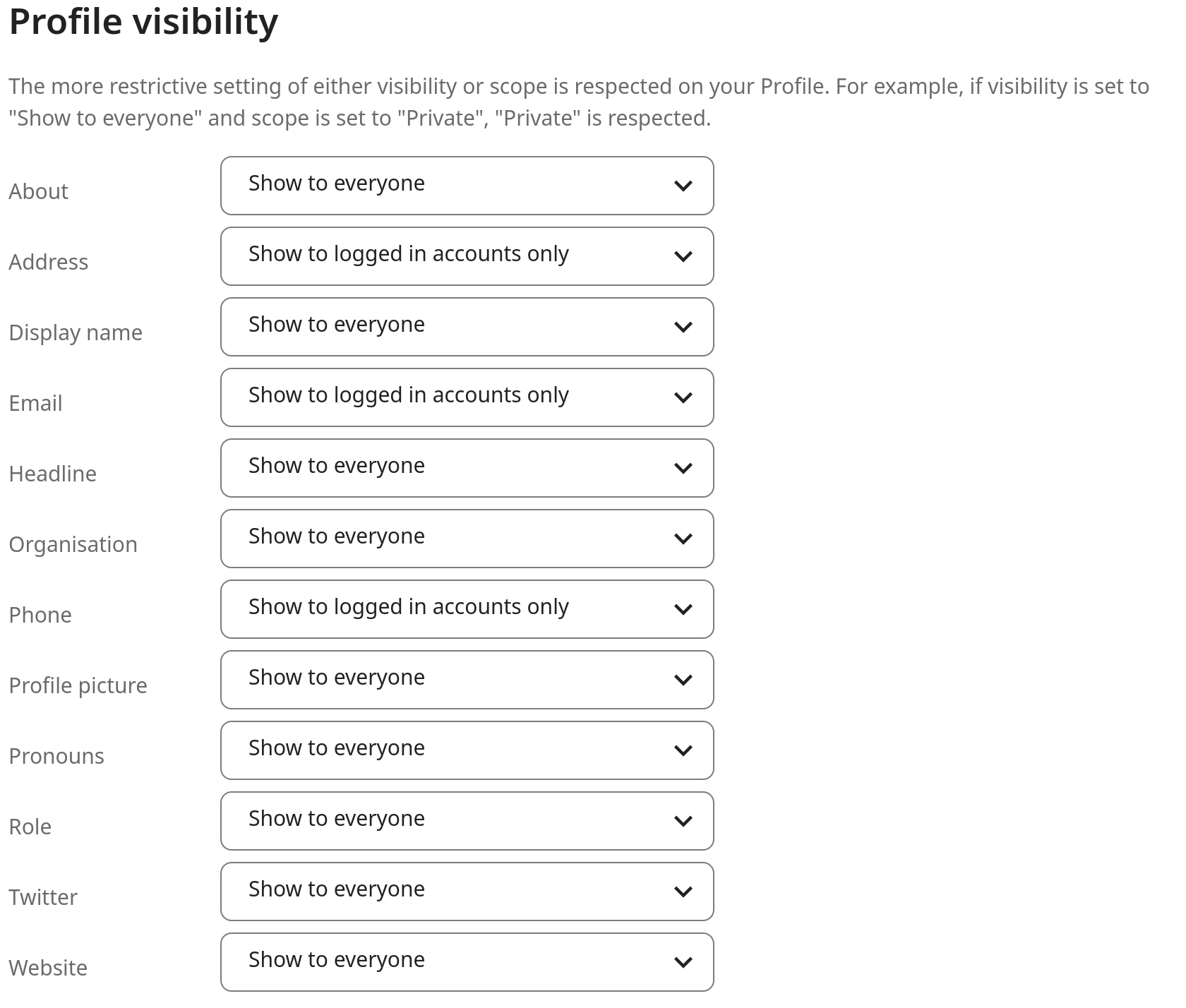
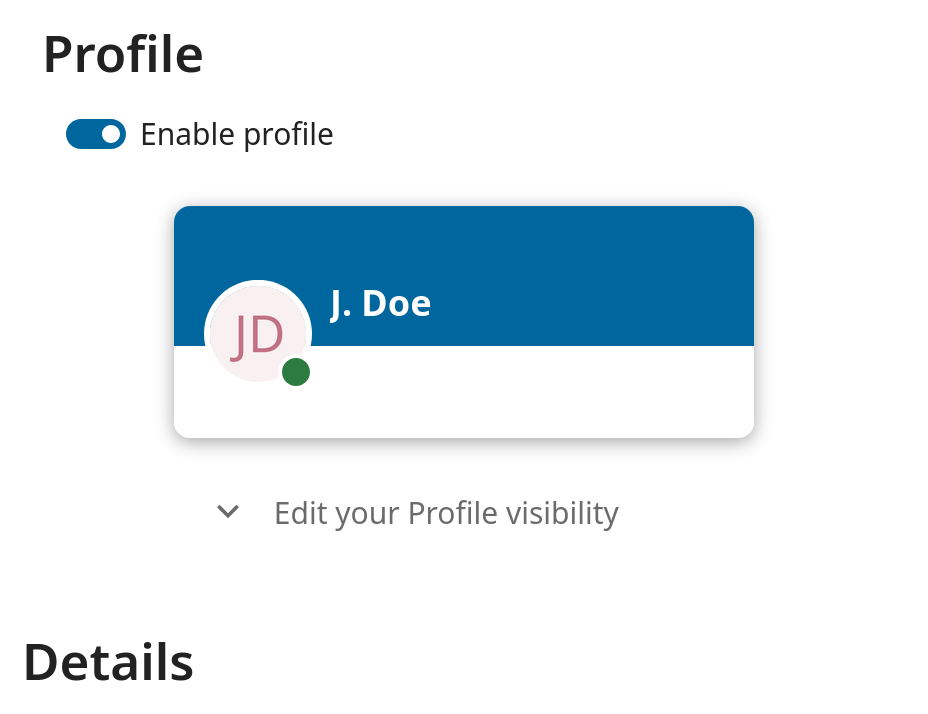
To restrict the visibility further, you can prevent guests from seeing your profile data by changing the profile visibility to logged-in users. In your personal settings, find the profile visibility button:
This allows you to configure the visibility for each profile attribute: